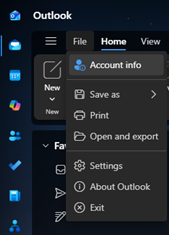
- Open Outlook and click File
- Click Account Info. This will open the account settings page.
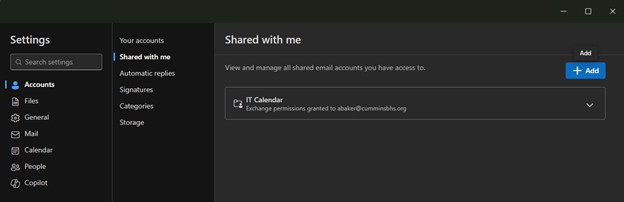
3. Click Shared with me and click add.
4. Type the email address associated with the shared mailbox and click continue. You may be asked to restart Outlook.
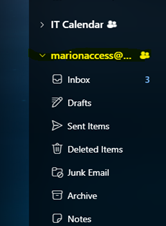
5. The mailbox will appear at the bottom of the sidebar in Outlook.